
Introduction
Leaf is a custom firmware (CFW) for the Miniloong Pocket 1 (MLP1) handheld. It replaces the stock home screen with a fast, themeable launcher and adds emulation, apps, and over-the-air updates, all without overwriting the device’s original operating system.
The big idea: run on top of stock
Section titled “The big idea: run on top of stock”Most custom firmware replaces the stock OS. Leaf doesn’t. Instead it hooks into the device’s normal boot and takes over before the stock home screen appears, leaving stock LoongOS intact underneath.
This has two practical benefits:
- Safety. If Leaf ever fails to start, the device automatically falls back to the stock interface instead of bricking. A recovery card can also restore the device to a clean stock state at any time.
- Compatibility. Leaf reuses the stock display, audio, Wi-Fi, and power systems rather than reinventing drivers, so it behaves like a native part of the device.
The device
Section titled “The device”| Model | Miniloong Pocket 1 (MLP1) |
| SoC | Rockchip RK3566 - quad Cortex-A55 @ 1.8 GHz |
| GPU | Mali-G52 |
| RAM | 1 GB LPDDR4X |
| Display | 4” IPS, 720×960 (shown as 960×720 landscape) |
| Battery | 4000 mAh |
| Connectivity | Wi-Fi + Bluetooth |
What you get
Section titled “What you get”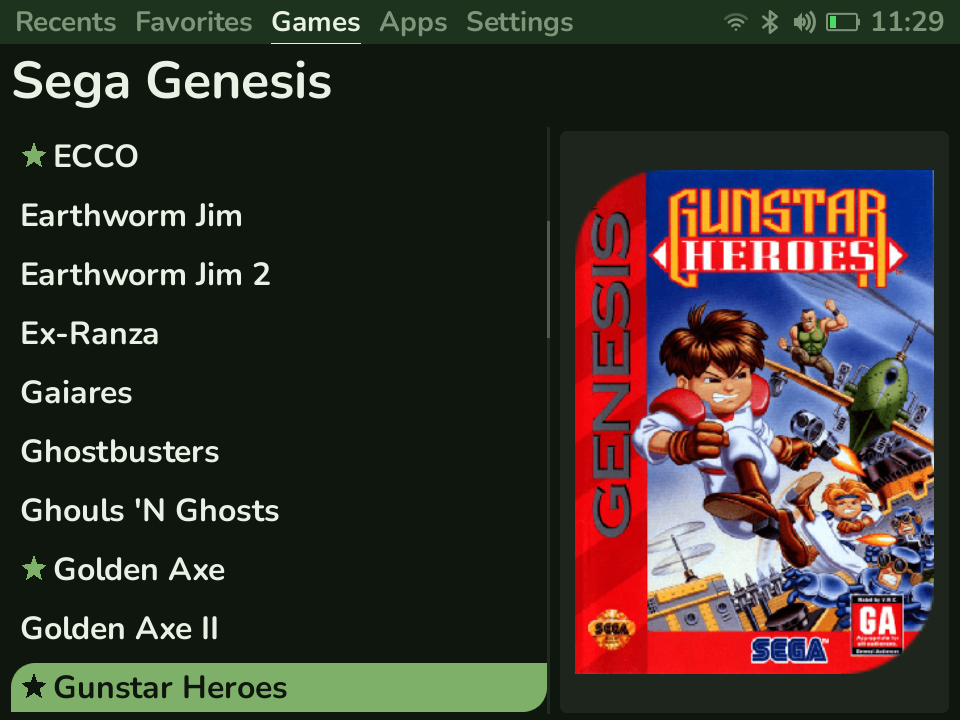
- A themeable launcher - two home layouts (classic Tabs or a Coverflow box-art carousel), color schemes, list styles, fonts, an animated status bar (clock, battery, Wi-Fi, Bluetooth, volume), and a configurable RGB stick-ring.
- Emulation - RetroArch with per-system folders for ROMs, box art, saves, and states. You provide the games and any required BIOS files.
- Apps - Central Scrutinizer (manage games and files over Wi-Fi from your browser), Fugazi (a live CRT-shader tuner), Joe’s Calibrage (analog-stick calibration), an SSH server, and a file manager.
- Over-the-air updates - check for and install new releases right from the launcher. See Updating.
Project status
Section titled “Project status”Leaf is stable and released often. Every release is published on GitHub with notes worth reading before you install. It currently targets the Miniloong Pocket 1 only.
Leaf is open source, baked in the Utility-Muffin-Research-Kitchen. See Contributing if you’d like to help.
Next steps
Section titled “Next steps”- Install Leaf - get it running on your device.
- Adding games & ROMs - fill your library.
- BIOS & cores - what some systems need to run.