
Central Scrutinizer
Central Scrutinizer turns your handheld into a little web server so you can manage your library from a phone, tablet, or computer on the same Wi-Fi. It is the easy way to add a pile of ROMs or fix up box art without pulling the SD card.
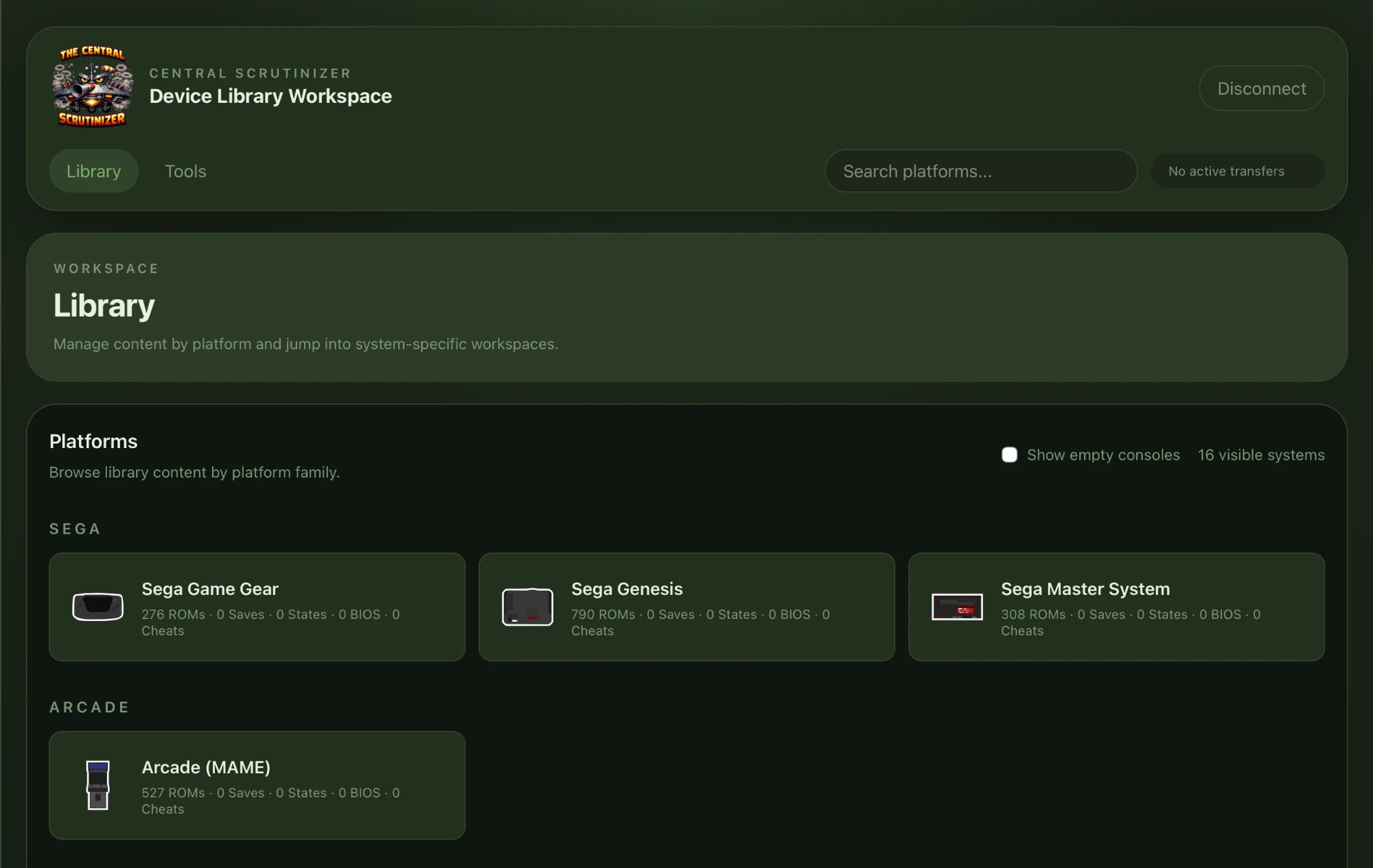
Connecting
Section titled “Connecting”- Make sure the device is on Wi-Fi (Settings → Network).
- Open Central Scrutinizer from the Apps tab. The screen shows a web address and a PIN.
- On your computer or phone, open that address in a browser.
- Enter the PIN to pair (or press Y on the device to show a QR code you can scan). Once paired, that browser stays trusted.
What you can do
Section titled “What you can do”From the browser you can:
- Upload ROMs - single files or whole folders, including ZIP archives. Each
console shows as a single library, and uploads land in that system’s
recommended folder. If you have older alias folders (say both
Roms/NESandRoms/FC), Central Scrutinizer shows them as one console with a combined count rather than duplicate cards. - Manage files - download, rename, delete, and make folders.
- Sort box art - replace or tidy up game artwork.
- Browse logs - read Leaf’s app logs, with a live tail, which is handy when something is not working.
- Clean up - remove stray Mac metadata files (
.DS_Storeand friends) that sneak onto SD cards.
After uploading games, run Rescan Library from the launcher’s MENU (or just reboot) so the new games appear.
Supported file formats
Section titled “Supported file formats”Central Scrutinizer knows what each system can actually play, so it only uploads files that will show up as games. When you open a console’s ROMs, it lists the accepted formats under the toolbar, for example:
Supported: .chd, .cso, .iso, .pbp
If you pick a file a system cannot use (say a .zip for PSP, which wants a disc
image), it tells you before anything transfers, names the formats that system
accepts, and leaves the file out rather than dropping it somewhere it would never
be scanned as a game.
Most cartridge consoles, arcade, and Neo Geo read .zip files directly, so their
format list includes .zip. For systems that do not (mostly disc based ones), use
Upload ZIP to extract a supported file from the archive instead. Either way,
only files a rescan can turn into real games get copied to the card, so it stays
tidy.
Central Scrutinizer includes cards for NEC PC-98 in the NEC group and
Atomiswave and Sega Naomi in the Arcade group. They appear only when a
usable emulator is installed: np2kai for PC-98, or standalone/RetroArch Flycast
for the arcade systems. Upload destinations are always the canonical public
folders: Roms/PC98/, Roms/ATOMISWAVE/, and Roms/NAOMI/.
PC-98 BIOS uploads through its Library card land in BIOS/np2kai/, where the
np2kai core expects font.bmp or FONT.ROM and its optional firmware files.
Dreamcast, Atomiswave, and Naomi share Flycast’s canonical BIOS/dc/ folder.
Opening BIOS on any of those three cards browses that same folder, and BIOS
uploads through the Library land there. For Naomi 2, upload naomi2.zip; base
Naomi and Naomi GD-ROM use naomi.zip.
The Amiga card appears in the Computer group when its emulator is
installed. Its ROM
and artwork actions use Roms/AMIGA/ and Images/AMIGA/ for every supported
Amiga family: OCS/ECS, AGA, CDTV, and CD32. Its BIOS action uses only
BIOS/puae/, matching the packaged core; uploads do not go to root-level
BIOS/ or BIOS/AMIGA/.
For Amiga, the accepted list covers floppy, hard-drive, WHDLoad LHA, CD,
configuration/package, .zip, .7z, and .m3u formats. It does not include IPF or loose
WHDLoad .slave/.info entries. If you download an outer collection archive,
unpack it on your computer first and upload the individual per-game archives.
The accepted formats come from Leaf’s installed system catalog, not from a
separate web-app list. That means PC-98 disk and hard-drive images, ZIP
pass-through, Atomiswave/Naomi direct images, zipped arcade sets, and .m3u
playlists follow the same rules in the launcher and browser. An unsupported
extension is rejected before Central Scrutinizer writes any part of the file.
For Atomiswave and Naomi, this check stops at the extension. Central Scrutinizer does not verify the ROM-set contents or translate a friendly ZIP filename into Flycast’s required shortname. A file can therefore upload and appear in the launcher while still being unusable by Flycast. Keep the original set names and layout described in Naomi and Atomiswave arcade sets.
Central Scrutinizer is open source (MIT).