
SSH Server
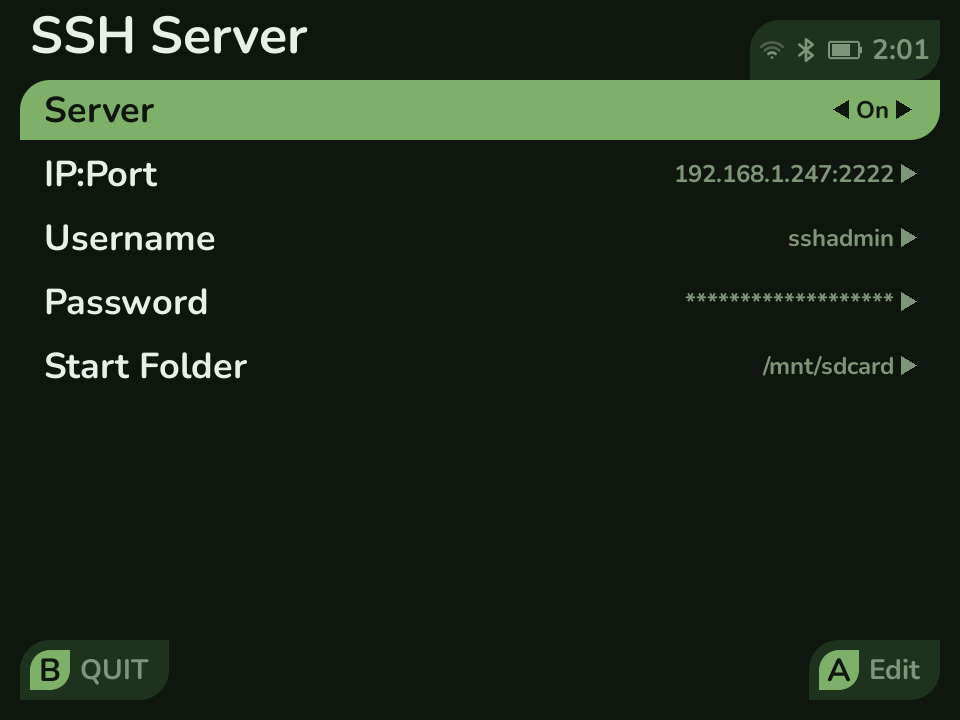
The SSH Server app starts a small SSH server (Dropbear) on the device so you can open a terminal to it from a computer on the same network. It is aimed at tinkerers who want shell access; most people will never need it.
Starting it
Section titled “Starting it”- Connect the device to Wi-Fi (Settings → Network).
- Open SSH Server from the Apps tab.
- Select Start. The screen shows the device’s IP address and port.
The server runs until you stop it; it does not start on its own at boot.
Connecting
Section titled “Connecting”From a terminal on your computer:
ssh sshadmin@<device-ip> -p 2222- The default username is
sshadminand the default port is 2222. - You set the password from the app the first time, using the on-screen keyboard.
- The username, port, and starting folder can all be changed in the app.
- A host key is generated automatically the first time you start the server.
The bundled SSH server is Dropbear (MIT / public domain).