
File manager
Leaf includes a file manager for working with files directly on the device. It uses a classic two-pane layout: two folders side by side, so you can copy and move things from one to the other.
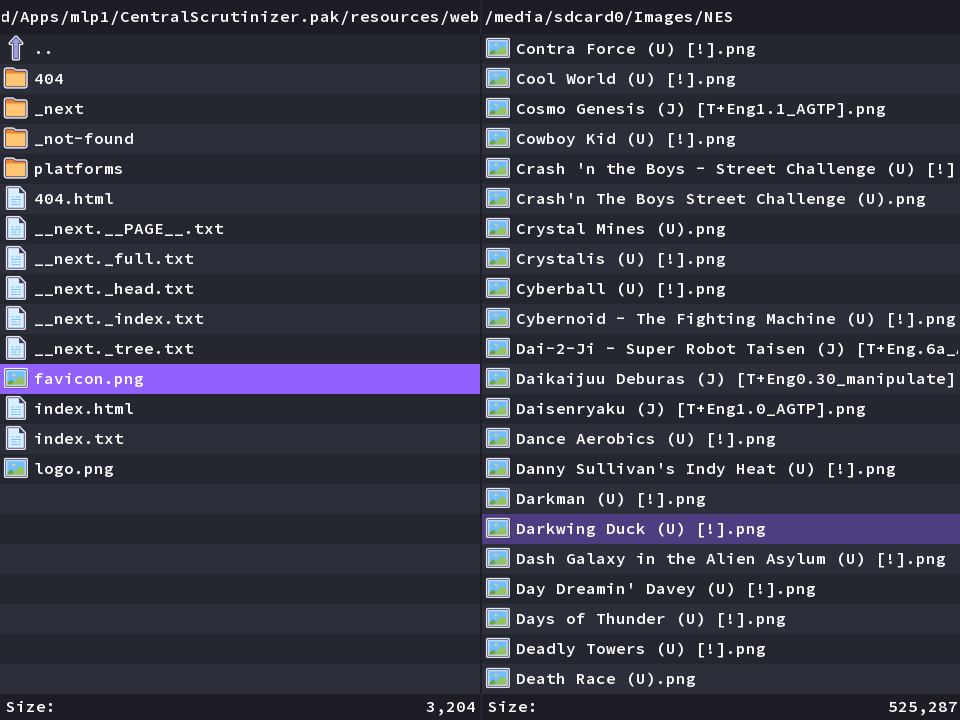
Getting around
Section titled “Getting around”Open the file manager from the Apps tab. One pane is active at a time.
- Up / Down - move the cursor.
- A - open the highlighted folder or file.
- B - go up to the parent folder.
- L1 / R1 - page up and down through long lists.
- Select - mark items (for acting on several at once).
Doing things with files
Section titled “Doing things with files”- X opens actions on the selected item or items: copy, move, rename, delete, and disk-usage info. Copy and move use the other pane as the destination.
- Y opens a menu for things like select all, make a new folder, disk space, and quitting.
It can also view images and edit text files. Take care with delete: there is no recycle bin, so removed files are gone.