
Itch.io
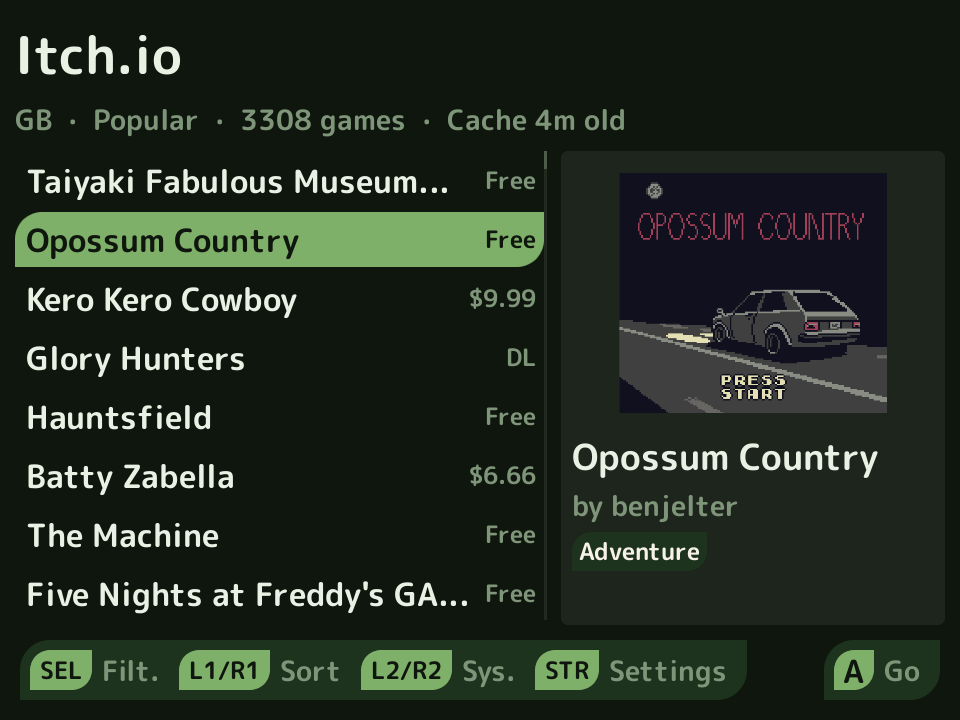
The Itch.io app brings compatible console homebrew into Leaf without needing a computer. Browse, search, filter, and sort the public catalog, inspect a game’s description and screenshots, then download supported ROMs and artwork to your library.
Install
Section titled “Install”Itch.io is optional and is not bundled with Leaf. Press Menu, open Actions → Pak Rat, choose Itch.io, and install it over Wi-Fi. It appears in the Apps tab when installation finishes.
Manual fallback: open the
latest release,
download Itch-io.mlp1.pak.zip, verify the published SHA-256, extract its
single Itch-io.pak folder, and copy that folder into Apps/mlp1/ on the SD
card. Run System → Rescan Library afterward. Jawaka 0.5.5 or newer is
required.
What it supports
Section titled “What it supports”- Game Boy, Game Boy Color, Game Boy Advance, NES, Mega Drive, Pico-8, and PlayStation.
- Standalone ROMs plus inspected ZIP and 7z archives, including multi-file Pico-8 and PlayStation CUE/BIN sets.
- Animated catalog artwork, launcher artwork, and itch.io titles in the Leaf library.
- Either SD card for ROMs, artwork, and optional soundtracks.
- Free downloads without an account, and paid games you own once you sign in with itch.io.
- App-managed rename, save/state rename, artwork repair, and deletion flows.
New downloads publish their itch.io title as Leaf display metadata. Your manual Leaf name always wins, and resetting it falls back to the imported title. Reference-sensitive PlayStation files keep their original physical names. Existing downloads are not renamed or backfilled automatically.
Controls
Section titled “Controls”| Button | Action |
|---|---|
| Up / Down | move or scroll |
| Left / Right | page or jump by letter; change a selected value |
| A | open, select, toggle, or confirm |
| B | back or cancel; exit from the main list |
| Select | open Filter; apply changes inside Filter |
| Start | open Settings |
| L1 / R1 | change sort on the main list; page other long views |
| L2 / R2 | change the system category |
| X | manage a downloaded game from its detail screen |
| Y | clear staged values on the Filter screen |
| Menu | reserved for Leaf; it does not exit the app |
Search uses the full Catastrophe keyboard.
Both SD cards
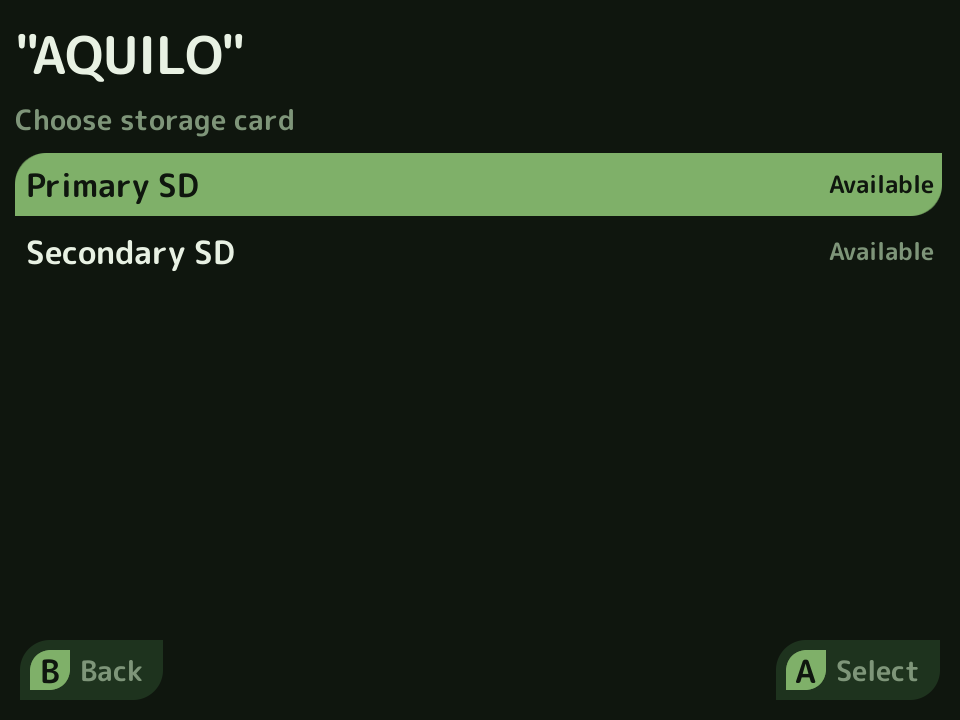
Section titled “Both SD cards”With ROM Location set to Auto, downloads go to the primary card’s canonical system folder. Set it to Ask to choose either mounted card and, if desired, a safe subfolder below that card’s ROM root. A configured but absent second card is shown as unavailable and cannot be selected. Artwork remains on the same card as its ROM.
Music uses the same source-aware picker. Music Download is Off by default; set it to Auto or Ask before downloading soundtrack files.
Soundtracks and Disco Boy
Section titled “Soundtracks and Disco Boy”Soundtracks are saved below the selected card’s Music folder. The Itch.io app
does not install or launch a player. Install
Disco Boy separately, then open or relaunch it so
its normal scan sees music on both cards.
Sign in and privacy
Section titled “Sign in and privacy”Browsing and free downloads need no account. Sign in to download paid games you own:
- Open Start → Settings → itch.io Account, or press A on a paid game.
- Read and accept the physical-access warning (first time only).
- Scan the QR code with your phone. The code expires after a few minutes; press A for a new one.
- Check that itch.io shows the same short code as the handheld, then approve Leaf. The app loads the games you own and shows your account name.
Signed in, free and pay-what-you-want games also download through the itch.io API, with the web download page as a fallback.
itch.io gives the app a key, which is stored in app data on the SD card and is not encrypted. FAT32 cannot protect it from someone with physical access to the card. The key never appears on screen, and local logs redact credentials, account identifiers, cookies, and signed download URLs. Sign Out clears the key and the list of games you own without deleting installed games. The app cannot revoke the key on itch.io, so delete it from your itch.io account’s API keys if you lose the card.
Updating from 0.1.0 removes a typed API key saved by that version and opens Settings so you can sign in again.
Content warnings
Section titled “Content warnings”Content warnings are confirmations, not hidden filters. Adult/suggestive, heavy theme, and substance-use warnings default to on; queer/LGBTQ+ warnings default to off. Change the category and individual tag behavior under Settings → Content Moderation. itch.io authors control their own tags, so these advisories are best effort.
Credits and source
Section titled “Credits and source”The app is a Leaf-only hard fork of Carroarmato0’s NextUI-Itchio-Pak. UMRK preserves the upstream history, attribution, and MIT license while using Leaf runtime paths, Jawaka services, and Catastrophe for the interface. The UMRK source and release history are public.